AI-Built App Production Readiness: A Founder's Launch Checklist
On this page
AI-built app production readiness explained: what to fix in a Lovable or Bolt app before real users and payments arrive, with a clear launch checklist.
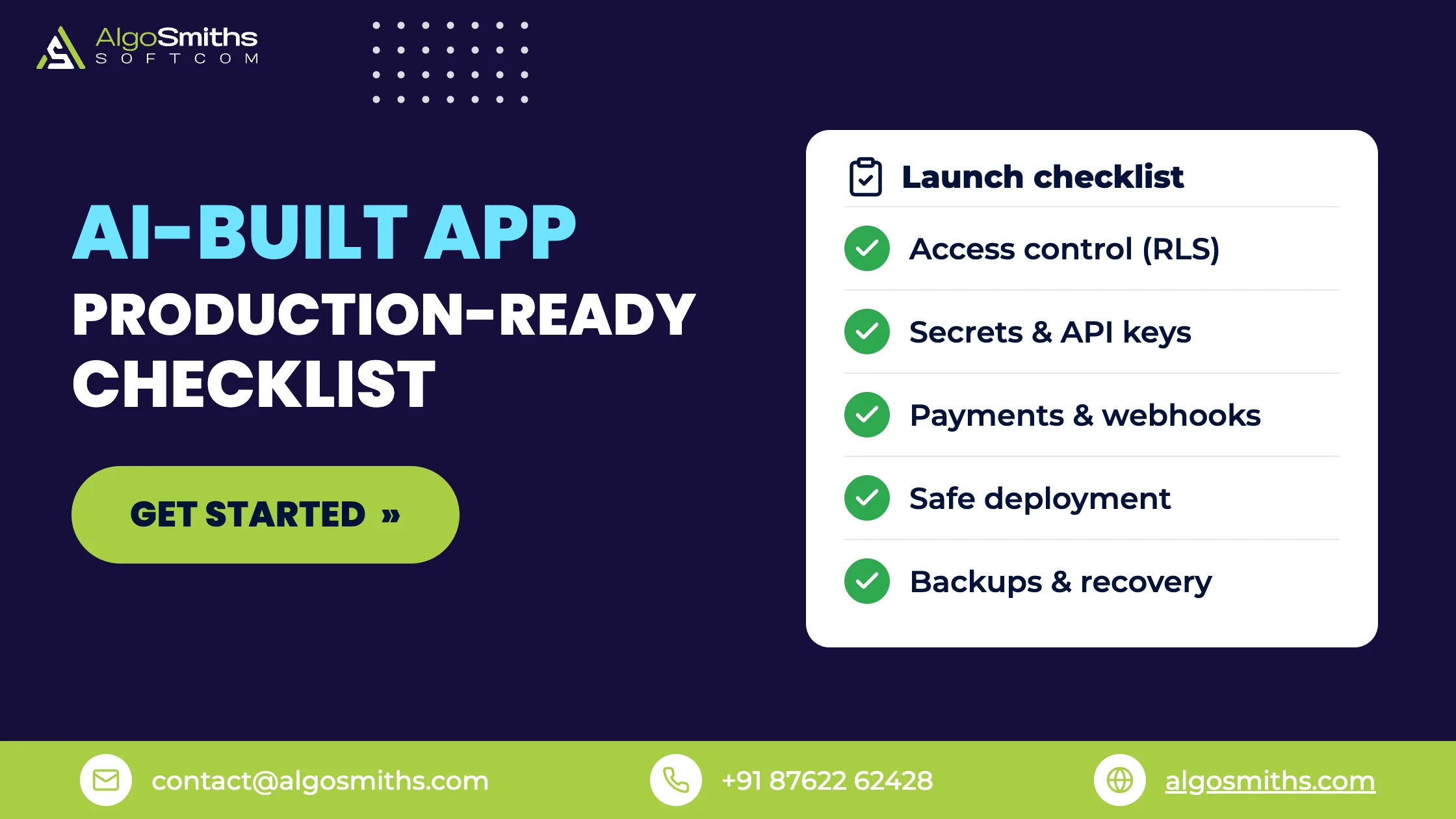
An AI-built app is production-ready when strangers can sign up, pay and use it without seeing each other's data, losing their work or taking the app down. Tools like Lovable, Bolt, Cursor and Replit get you to a working demo fast, but they rarely finish the five jobs that make an app safe for real users: access control, secrets, payments, deployment and data recovery. If you have not settled on a tool yet, our comparison of how the three main AI app builders differ covers price, backend and code export.
This guide on AI-built app production readiness is for non-technical founders and early-stage teams who have a prototype that works on their own screen and are wondering what stands between it and a public launch. It explains what usually breaks, how to check for it, and when it makes sense to bring in an engineer.
Key takeaways
- A demo proves the happy path works. Production means the unhappy paths (strangers, failures, retries, attackers) are handled too.
- The most expensive gaps are usually in data access rules and payment handling, not in the screens you can see.
- You can test several of these yourself in an afternoon with a second account and a private browser window.
- Fixing an AI-built app is usually cheaper than rebuilding it, as long as the data model is sound.
- Finish the checklist at the end of this article before you take a single real payment.
What does "production-ready" mean for an AI-built app?
Production-ready means the app keeps working, and keeps users' data private, when real people use it in ways you did not plan for. It is a property of everything behind the screens: the database rules, the keys, the payment flow, the hosting setup and the ability to recover from a mistake.
A prototype only has to survive one user following one script. A launched product has to survive thousands of sessions, failed card payments, impatient users who click twice, and people who are actively poking at it. We cover the wider path from MVP to stable product in our guide to turning an MVP into a production-ready SaaS without a rewrite, and this article focuses on the gaps specific to code generated by AI tools.
Why do AI-built apps stall before launch?
They stall because AI tools optimise for "it runs and looks right", and the missing pieces are invisible until something goes wrong. Nothing on the screen tells you that a table is readable by anyone, or that a payment confirmation can be faked.
Independent research backs up the concern. Veracode's 2025 GenAI Code Security Report tested more than 100 large language models on 80 coding tasks and found that the models chose an insecure way of writing code 45 percent of the time when given a choice (Veracode, July 2025). That does not make AI tools useless. It means their output needs the same review you would give any junior developer's first draft before it handles money or personal data.
The five gaps we see most often
The table below compares what a typical prototype has with what a launch needs.
| Area | Typical prototype | What launch needs |
|---|---|---|
| Data access | Any logged-in user, or any visitor, can reach any row | Per-user rules enforced in the database |
| Secrets | Keys pasted in code or shared in chat | Keys in environment settings, rotated if exposed |
| Payments | Success page grants access | Verified webhooks update the account |
| Deployment | One environment, edited live | Separate staging and production |
| Recovery | No tested backup | Backups you have restored at least once |
How do you lock down data access in an AI-built app?
You lock it down by enforcing access rules in the database itself, not only in the screens. If the database trusts every request, anyone who finds the API address can read or change data without ever opening your app.
This matters most for apps built on Supabase, which many AI builders use as their backend. Supabase's documentation states that tables in exposed schemas need Row Level Security (RLS) enabled, and that without it any role with table access, including the anon role used by unauthenticated visitors, can read and modify data through the API (Supabase RLS documentation). In 2025, a vulnerability record (CVE-2025-48757) described insufficient row-level security policies in Lovable-generated sites that allowed unauthenticated users to read or write database tables. The vendor disputes the characterisation and says customers are responsible for protecting their application data (National Vulnerability Database entry). Whoever is right, the practical lesson is the same: check your own rules.
What a basic row-level policy looks like
Turn RLS on for every table that holds user data, then add a policy that says who can see which rows. Here is a minimal example for a table where each project belongs to one user:
alter table public.projects enable row level security;

revoke all on public.projects from anon;

create policy "Owners read their own projects"
  on public.projects for select
  to authenticated
  using (auth.uid() = owner_id);
The revoke line matters because Supabase's guidance is that default grants to client-facing roles stay in place unless you remove them, so adding a policy alone does not close every door.
How can you test it yourself?
Create two ordinary accounts, add data to the first, then try to reach it from the second. Do the same in a private browser window with no login. If you can see or edit someone else's records, or any records at all while logged out, the rules are missing or too loose. Fix this before anything else on the list. If the app runs on Supabase, our walkthrough of finding and fixing RLS gaps covers the policies for user-owned, team and admin rows. Uploaded files sit behind separate rules, so also check your Supabase storage buckets: a public bucket can expose files even when every table is locked down. If some of your backend logic already lives in Postgres functions, check which layer each job actually belongs in: our guide to choosing between Edge Functions and database functions covers the trade-offs.
Where should API keys and secrets live?
Secrets belong in your hosting provider's environment settings, never in the code or in the browser. Anything shipped to the browser can be read by every visitor, so a secret key in front-end code is public by definition.
Generated code sometimes has keys pasted straight into files to make a feature work, so it is worth checking. Search your repository for strings such as sk_live, service_role and any password, and treat every key that has ever appeared in code or chat as compromised: create a new one and revoke the old one. Our guide to secrets management for startups explains where each kind of secret should live and how to rotate them without downtime. Files users upload need the same scrutiny, and our guide to storage and signed URLs for SaaS covers where they should live.
How do you add payments to an AI-built app safely?
You add payments safely by letting the payment provider tell your server what happened, rather than trusting the browser. A "thank you" page only proves a customer reached a URL; it does not prove they paid.
With Stripe, that message arrives as a webhook: a request Stripe sends to your server when a payment succeeds, fails or is refunded. The full billing picture, including plans and failed renewals, is covered in our walkthrough of adding payments and subscription billing to a SaaS MVP. These are the webhook rules that most often get missed.
Verify every webhook signature
Stripe signs each event with a Stripe-Signature header, and its documentation says to verify the signature against the raw request body before acting on an event. Without verification, an attacker could send fake events to trigger actions like fulfilling orders or granting account access. Frameworks that parse and re-serialise the body first will cause verification to fail, so the handler needs the raw bytes (Stripe webhook documentation).
Expect duplicates, delays and out-of-order events
Stripe retries failed deliveries for up to three days in live mode, does not guarantee event order, and may deliver the same event more than once. The handler should return a success status quickly, store the IDs of events it has processed, and skip any it has already seen. If your app grants access on the first event it receives and never checks again, a late or repeated message can leave a paying customer locked out or a cancelled one still active.
What does a safe deployment look like?
A safe deployment has two separate environments, so you can test a change before real users see it. A common AI-builder workflow edits the live app directly, which means every experiment is also a production change. If the published app already behaves differently from the preview, our guide to why a Lovable app breaks in production works through the nine usual causes.
At minimum, set up a staging copy with its own database and its own test-mode payment keys, and deploy to production only from a version you have already tried in staging. Add automatic error reporting so you hear about crashes before your customers email you.
Can you get your data back if something goes wrong?
Only if a backup exists and you have tested restoring it. On Supabase, automatic daily backups apply to Pro, Team and Enterprise projects, with seven days of history on Pro, while free-tier projects do not get them and are advised to export data regularly. Point-in-time recovery is a paid add-on (Supabase backups documentation). Check the plan your project is actually on, because many prototypes are still on the free tier at launch. Choosing a retention window and proving a restore works is covered in our guide to planning backups and restores for a startup database. A copy of the code and data outside the builder is part of the same safety net, and our guide to exporting a Lovable app covers what a GitHub export includes and what it leaves behind.
Should you fix an AI-built app, rebuild it or hire help?
Fix it if the data model and core flows are sound, rebuild only the parts that are not, and bring in an engineer for anything involving money or personal data. A full rewrite is rarely the cheapest route, because the screens and user flows you validated are real work worth keeping. If the app was built in Lovable specifically, the narrower question of when a platform stops being the right place to keep building has its own guide.
| Situation | Usually best | Why |
|---|---|---|
| Works, few users, no payments yet | Fix it yourself with the checklist | Low risk, quick wins |
| Takes payments or stores personal data | Engineer review before launch | Mistakes here are costly |
| Tangled data model, features break each other | Rebuild the backend, keep the front end | Foundations decide everything else |
| Investors asking about the code | Cleanup plus documentation | Diligence rewards tidy, explained code |
That last row is worth planning for. Investors and acquirers read the code, and our guide to technical due diligence for startups lists the questions they ask, many of which an AI-built app fails by default.
Pre-launch checklist for an AI-built app
Work through these in order. The first four protect users; the rest protect you.
- Turn on row-level security for every table that holds user data and test it with two accounts and a logged-out window.
- Search the code for exposed keys, rotate any that have been shared, and move all secrets to environment settings.
- Verify Stripe webhook signatures, store processed event IDs, and grant access only from webhook events.
- Confirm that users must verify their email or log in properly, and that password reset works. Those messages also have to actually arrive; the DNS and provider setup behind reliable app email is covered in our email guide. If you are on Supabase, the Supabase Auth settings that break at launch are the first place to look.
- Create a staging environment with test-mode keys and deploy to production from it. Confirm every schema change is captured in a migration file rather than clicked into the dashboard.
- Enable backups on a paid plan and restore one into a scratch database to prove it works.
- Add error reporting and an alert that reaches a real person.
- Test the money path end to end: successful payment, declined card, cancellation and refund.
- Write down where everything lives: hosting, database, domain, payment account and who has access.
Common mistakes when launching an AI-built app
The same few mistakes appear again and again, and most are avoidable with an hour of checking.
- Asking the AI tool to "make it secure" and trusting the answer. Verify the result with a second account instead of taking the tool's word for it.
- Testing only with the admin account. Admin accounts often bypass the rules a normal user is subject to.
- Using live payment keys while testing. Use the provider's test mode until the flow is verified.
- Letting the AI tool edit production directly. One bad prompt can overwrite working code with no way back.
- Skipping ownership. Make sure the code, domain and cloud accounts are in your name, not a contractor's or a tool's.
Frequently asked questions
Can a Lovable or Bolt app be used in production?
Yes, many are, but not as generated. The app usually needs access rules checked, secrets moved out of the code, payments verified and a safe deployment setup first. The tool gives you a strong start, not a finished, reviewed product.
How long does it take to make an AI-built app production-ready?
It depends on size and how many of the gaps above exist. A small app with no payments can be checked in a few days. An app with billing, roles and a messy data model takes longer, which is why a short review up front gives you a real estimate rather than a guess.
Is AI-generated code secure?
Not by default. In Veracode's research, models chose the insecure option 45 percent of the time when given a choice, so AI-generated code should be reviewed and tested like any other code, with extra attention to anything touching logins, data access or payments.
Do I need to rewrite my AI-built app before launch?
Usually not. Keep the screens and flows you have validated and replace only the weak foundations, most often the database rules and the backend logic. A full rewrite makes sense only when the data model itself is wrong.
Getting from demo to launch
A working demo is real progress, and the gap to launch is smaller than it looks if you know where to check. Start with data access, then secrets, then payments, and do not take real money until the checklist above is complete. If you would rather have senior engineers harden the app for you, AlgoSmiths works on fixed-price projects and fixes apps built with tools like Lovable, Bolt, Cursor and Replit; you can see how that works on the AlgoSmiths home page.
Topic: AI-built apps & Supabase