MCP Server Development: Build and Test One for Your Product
On this page
MCP server development on the 2026-07-28 spec: we built a TypeScript server and found where error messages leak and which HTTP checks you must add.
MCP server development changed with the 2026-07-28 version of the Model Context Protocol. The new version drops the opening handshake and protocol sessions, so a tutorial written for an older release can teach you the wrong server. This guide builds a small TypeScript server on the current SDK and then tries to break it. We tested which protocol version each client gets, what a thrown error sends to the model, how stray log lines behave and what an HTTP endpoint accepts from a stranger.
This guide helps product teams that want an AI assistant to read or change data in their product. We tested on a macOS laptop with Node 25.1.0. The server and client packages were at version 2.4.0 and zod at 4.6.7. Client and server ran on the same machine, so treat the results as behaviour of that SDK release. Our guide to AI agents for startups covers the earlier question of whether an agent belongs in your product.
Key takeaways
- The TypeScript client in SDK 2.4.0 spoke the 2025-11-25 protocol by default, against a server that supports 2026-07-28.
- A server wired by hand to the stdio transport served the older protocol, and a client pinned to 2026-07-28 failed to connect to it.
- A thrown exception reached the client with its message intact, including a fake database password we planted in it.
- The bare HTTP handler answered a call that carried the Origin header of a stranger's site. Two helper functions turned that into a 403.
- The tool list grew from 692 bytes with one tool to 88,451 bytes with 200 tools.
What is an MCP server?
An MCP server is a program that offers your product's data and actions to AI applications through one protocol. The specification gives servers three feature types, shown below.
| Feature | What it is | Control |
|---|---|---|
| Tools | Functions with a name and an input schema that a client can call | The language model; the specification says a person should be able to deny a call |
| Resources | Data that gives a model context, such as files or database schemas | The host application |
| Prompts | Templates for messages and instructions | The user |
Start with tools, because a tool can map to an operation your product already exposes. If your API is hard to call from a script, fix that first. Our guide to API design for startups covers predictable endpoints and useful error responses.
What changed in the 2026-07-28 specification?
The versioning page of the specification states that there is no negotiation handshake: every request carries its protocol version, and the server accepts or rejects each one. It calls versions from 2026-07-28 onward modern, and 2025-11-25 and earlier legacy.
| Topic | 2025-11-25 and earlier | 2026-07-28 |
|---|---|---|
| Opening a connection | An initialize handshake | No handshake; version and capabilities travel in each request |
| Sessions over HTTP | Mcp-Session-Id header | Removed. A server returns an explicit handle when it needs state |
| Capability discovery | Part of the handshake | A server/discover method that servers must implement |
| ping | Available | Removed |
| Roots and Sampling | Available | Deprecated |
| Protocol logging | Available | Deprecated; a stdio server logs to stderr |
We checked this on the wire. A tools/call sent as the first message succeeded, so the server needed no handshake. A ping under the new version returned error -32601, method not found.
How do you build an MCP server in TypeScript?
The official build guide asks for Node.js 20 or higher for TypeScript. The v2 SDK splits into separate packages that replace the single @modelcontextprotocol/sdk package from v1. Python teams get the same generation of the SDK: the guide requires version 2.0.0 or higher, and its examples use a class named MCPServer. We did not run the Python path.
npm init -y
npm install @modelcontextprotocol/server @modelcontextprotocol/client zod
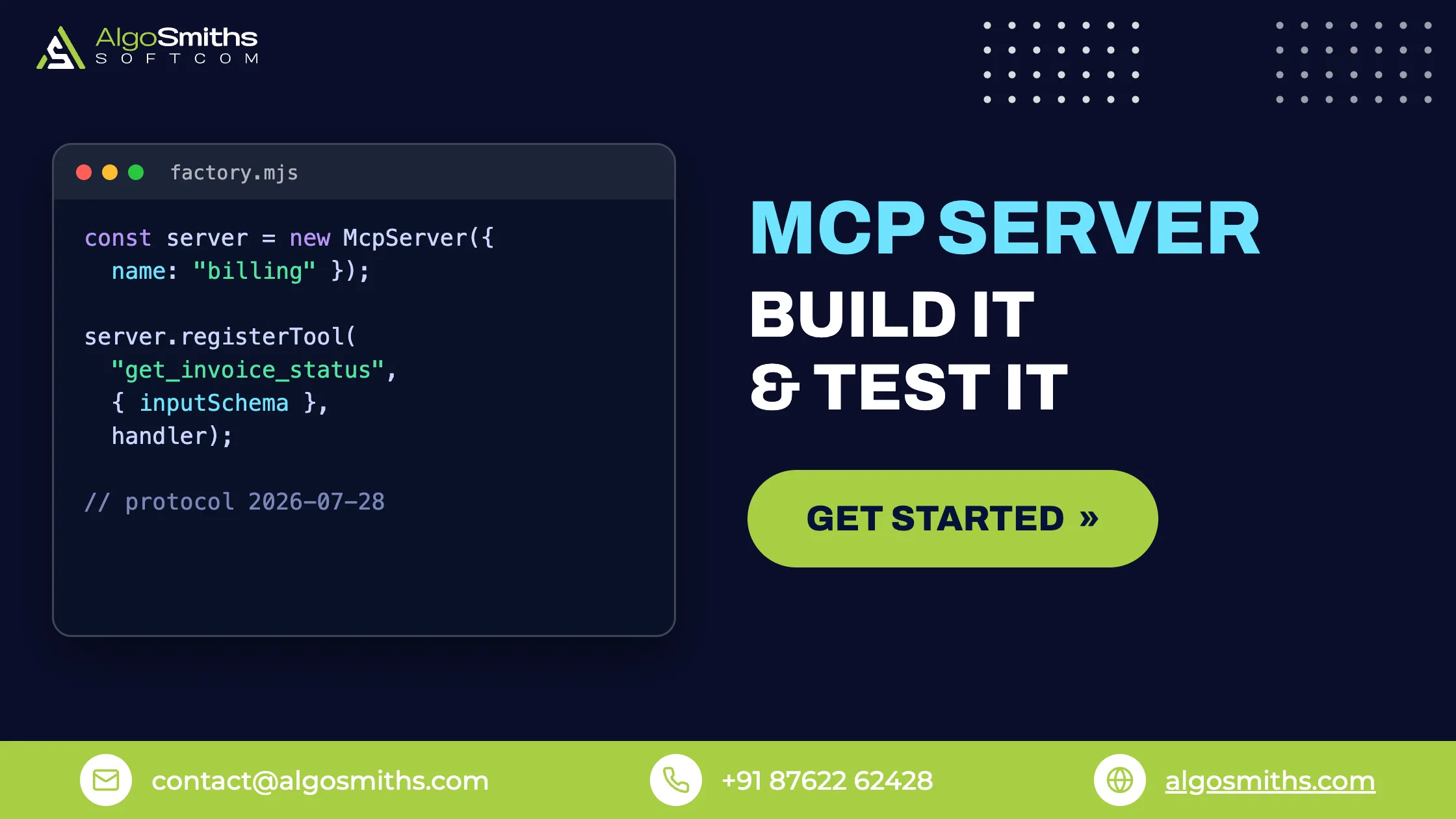
Put the server in a factory function in a file named factory.mjs. The SDK calls the factory when it needs an instance, so each call must return a fresh one. This server exposes one tool that looks up an invoice. The two invoices live in memory to keep the example short.
import { McpServer } from "@modelcontextprotocol/server";
import { z } from "zod";

const invoices = {
  "INV-1001": { status: "paid", amountCents: 4900 },
  "INV-1002": { status: "open", amountCents: 12000 },
};

export function createServer() {
  const server = new McpServer({ name: "billing", version: "1.0.0" });

  server.registerTool(
    "get_invoice_status",
    {
      description: "Look up one invoice by its ID and return its status and amount in cents.",
      inputSchema: z.object({
        invoiceId: z.string().regex(/^INV-\d{4}$/).describe("Invoice ID such as INV-1001"),
      }),
      outputSchema: z.object({
        status: z.enum(["paid", "open"]),
        amountCents: z.number().int(),
      }),
      annotations: { readOnlyHint: true },
    },
    async ({ invoiceId }) => {
      const invoice = invoices[invoiceId];
      if (!invoice) {
        const text = `No invoice ${invoiceId}. Ask the user to check the ID.`;
        return { isError: true, content: [{ type: "text", text }] };
      }
      return {
        content: [{ type: "text", text: JSON.stringify(invoice) }],
        structuredContent: invoice,
      };
    },
  );

  return server;
}
The input schema rejects an ID in the wrong format before your code runs. The output schema describes the structured result, and the specification requires the server to return data that conforms to it. The text copy of the same data serves clients that read text. Treat the readOnlyHint annotation as a hint: clients must treat annotations from an untrusted server as untrusted.
The entry file, server.mjs, is short.
import { serveStdio } from "@modelcontextprotocol/server/stdio";
import { createServer } from "./factory.mjs";

serveStdio(createServer, { onerror: (error) => console.error(error.message) });
console.error("billing server running on stdio");
How do you test the server?
Save the next block as client.mjs and run it with node client.mjs. It starts the server as a child process. Then it lists the tools and calls one.
import { Client } from "@modelcontextprotocol/client";
import { StdioClientTransport } from "@modelcontextprotocol/client/stdio";

const client = new Client(
  { name: "probe", version: "1.0.0" },
  { versionNegotiation: { mode: { pin: "2026-07-28" } } },
);
await client.connect(new StdioClientTransport({ command: "node", args: ["server.mjs"] }));

console.log(await client.listTools());
console.log(await client.callTool({ name: "get_invoice_status", arguments: { invoiceId: "INV-1001" } }));
await client.close();
The build guide shows a second route with the MCP Inspector command-line tool, which it runs twice, once for each protocol era.
Which protocol version will your client get?
The pin in that client matters. The SDK's type definitions set the default negotiation mode to legacy, and our results matched. We connected a client in three modes to a server wired in three ways.
| Server wiring | Default client | Client in auto mode | Client pinned to 2026-07-28 |
|---|---|---|---|
| serveStdio | 2025-11-25 | 2026-07-28 | 2026-07-28 |
| McpServer connected by hand to StdioServerTransport | 2025-11-25 | 2025-11-25 | Failed to connect |
| serveStdio with legacy set to reject | Failed to connect | 2026-07-28 | 2026-07-28 |
Use serveStdio and keep its default, which serves both eras from one factory. Set legacy to reject after you know that each client you support speaks the new version. If you move an older server to v2 and keep the hand-wired line, your server stays on the old protocol and nothing in a default client tells you.
What does the model see when a tool fails?
The specification separates two kinds of failure. A protocol error is a JSON-RPC error, for cases such as an unknown tool or a malformed request. A tool execution error is a normal result with isError set to true, for bad input or a business rule, and clients should pass it to the model so it can correct itself.
| Call | What our client received |
|---|---|
| ID in the wrong format | Result with isError true: Input validation error, naming the pattern |
| Valid ID with no record | Result with isError true and our message asking to check the ID |
| Tool name that does not exist | Thrown protocol error, code -32602 |
| Handler throws an exception | Result with isError true whose text was the exception message |
Why can a thrown exception leak secrets?
For the last row we added a test branch that threw an error with the message db password=hunter2 refused. The client received that string word for word. The TypeScript SDK errors page describes the same behaviour: the SDK catches what a tool handler throws and turns the message into result text. A database driver or an HTTP library can put hostnames and credentials into its messages, and that text goes to the model and may reach the person chatting with it.
Catch errors at the edge of each handler. Log the detail where your team reads logs, and return a sentence you wrote.
try {
  return await lookUpInvoice(invoiceId);
} catch (error) {
  console.error(error); // goes to stderr, where your team reads logs
  return { isError: true, content: [{ type: "text", text: "Invoice lookup failed. Try again later." }] };
}
What happens when you log to stdout?
Over stdio, the standard output stream carries the protocol. The specification says a server must not write anything there that is not a valid MCP message, and it allows logging to stderr. We broke the rule on purpose and watched the 2.4.0 client.
| Stray output during a tool call | Result in our test |
|---|---|
| A plain text line from console.log | The call succeeded and the client reported nothing |
| A JSON line from a structured logger | The call succeeded and the client sent a message validation error to its error handler |
| Text written without a newline | The call hit our 3-second test limit in both runs |
A forgiving client can hide the first case during development, and another client may react in a different way. The third case is the painful one: the stray text joined the protocol message on one line in our capture, and the client showed a timeout with no error to read. Use console.error, and check what your logging library writes to by default.
How do you secure an MCP server over HTTP?
A remote server uses Streamable HTTP. The Streamable HTTP page says servers must validate the Origin header on incoming connections to stop DNS rebinding, a trick that lets a web page reach a server on the visitor's own machine. It asks for a 403 when the header is present and invalid. The SDK documentation says its handler validates no Host or Origin header and checks no token, so those checks are your job. Its framework adapters add the Host and Origin checks by default on localhost binds.
We ran the handler on 127.0.0.1 twice, bare and with the two validation helpers in front.
| Request | Bare handler | With the helpers |
|---|---|---|
| Valid tool call | 200 | 200 |
| Origin: https://evil.example | 200, tool ran | 403 |
| Host: evil.example | 200, tool ran | 403 |
| Origin: http://localhost:5173 | 200 | 200 |
| Stale Mcp-Session-Id header | 200, header ignored | 200, header ignored |
| Mcp-Method header that contradicts the body | 400 | 400 |
| GET request | 405 | 405 |
The guarded version looks like this.
import {
  createMcpHandler,
  hostHeaderValidationResponse, localhostAllowedHostnames,
  originValidationResponse, localhostAllowedOrigins,
} from "@modelcontextprotocol/server";
import { createServer } from "./factory.mjs";

const handler = createMcpHandler(createServer);

export async function handle(request) {
  return (
    hostHeaderValidationResponse(request, localhostAllowedHostnames()) ??
    originValidationResponse(request, localhostAllowedOrigins()) ??
    handler.fetch(request)
  );
}
The localhost lists suit local development. On a public host, pass your own hostnames. A plain Node HTTP server needs an adapter that turns its request into a web Request object, and the SDK documentation points to the @modelcontextprotocol/node package for that.
Who may call the server?
Header checks do not identify a caller. The authorization page makes authorization optional, and it sets firm rules for servers that use it over HTTP. The server must publish OAuth 2.0 protected resource metadata. It must check that each token's audience is your server. The linked security guidance forbids passing a client's token through to another API. The specification tells a stdio server to take its credentials from the environment. The SDK handler verifies no token, so wire that check in front of it. Our guide to authentication for SaaS covers the account side.
The tools page of the specification adds four duties for servers: validate inputs, enforce access control, rate limit tool calls and sanitise outputs. A model can call a tool in a loop, so apply limits per user. Our guide to rate limiting shows the common algorithms.
How many tools should one server expose?
Each tool adds its definition to the list a client fetches. We registered extra report tools with three string fields each and measured the JSON of the returned tool array.
| Tools registered | Bytes in the tool list |
|---|---|
| 1 | 692 |
| 10 | 4,661 |
| 50 | 22,301 |
| 200 | 88,451 |
Each extra tool cost about 441 bytes in this test, and the client received all 200 with no pagination cursor. A host that places these definitions in the model's context pays for them in tokens. We did not count tokens, because the figure depends on the model and the host. Start with the few operations your users ask for, and write descriptions that tell the model when to choose each one.
Common mistakes
- Copying a v1 tutorial that imports from the old single package.
- Assuming a default client uses the newest protocol.
- Letting exceptions travel to the model with their raw messages.
- Printing debug lines to stdout in a stdio server.
- Shipping an HTTP endpoint with no Origin check and no token check.
- Keeping state in server memory and expecting a session to find it. Return a handle from one tool and accept it in the next, and check on each call that the caller owns it.
Frequently asked questions
Which language should we use for an MCP server?
Use the one your product team runs in production. The official build guide covers several, including TypeScript and Python. We tested the TypeScript path.
Do we need to support the 2025-11-25 protocol?
Keep it while any client you support uses it. serveStdio and the HTTP handler serve both eras by default.
Is a local stdio server safer than a remote one?
It opens no network port, so a web page has no address to call. The process runs with the permissions of the person who started it, so limit what its tools can do and keep its credentials narrow.
Can an MCP server keep state between calls?
The protocol has no session. The specification suggests that a tool return an explicit handle, such as a cart ID, and that later calls pass it back. Verify the caller's rights to that handle each time.
Do we need an MCP server if we have a REST API?
Build one when your users want an AI application to work with your product. The server can call your existing API, which keeps business rules in one place.
Where to start this week
- Pick one read operation your users repeat, and expose it as a tool.
- Run the pinned client against it and confirm the version you expect.
- Throw an error inside the handler and read what comes back.
- Before you host it over HTTP, send it a request with a foreign Origin header and confirm the 403.
If you want senior engineers to design the tools and ship the server with its access checks, AlgoSmiths works on fixed-price projects with a working demo every week. Our AI and data engineering work covers the data layer behind those tools.
Topic: AI features in production