Transactional Email for Startups: Reach the Inbox, Not Spam
On this page
Transactional email for startups: how to set up SPF, DKIM and DMARC, pick a provider and keep signup and password reset emails out of spam.
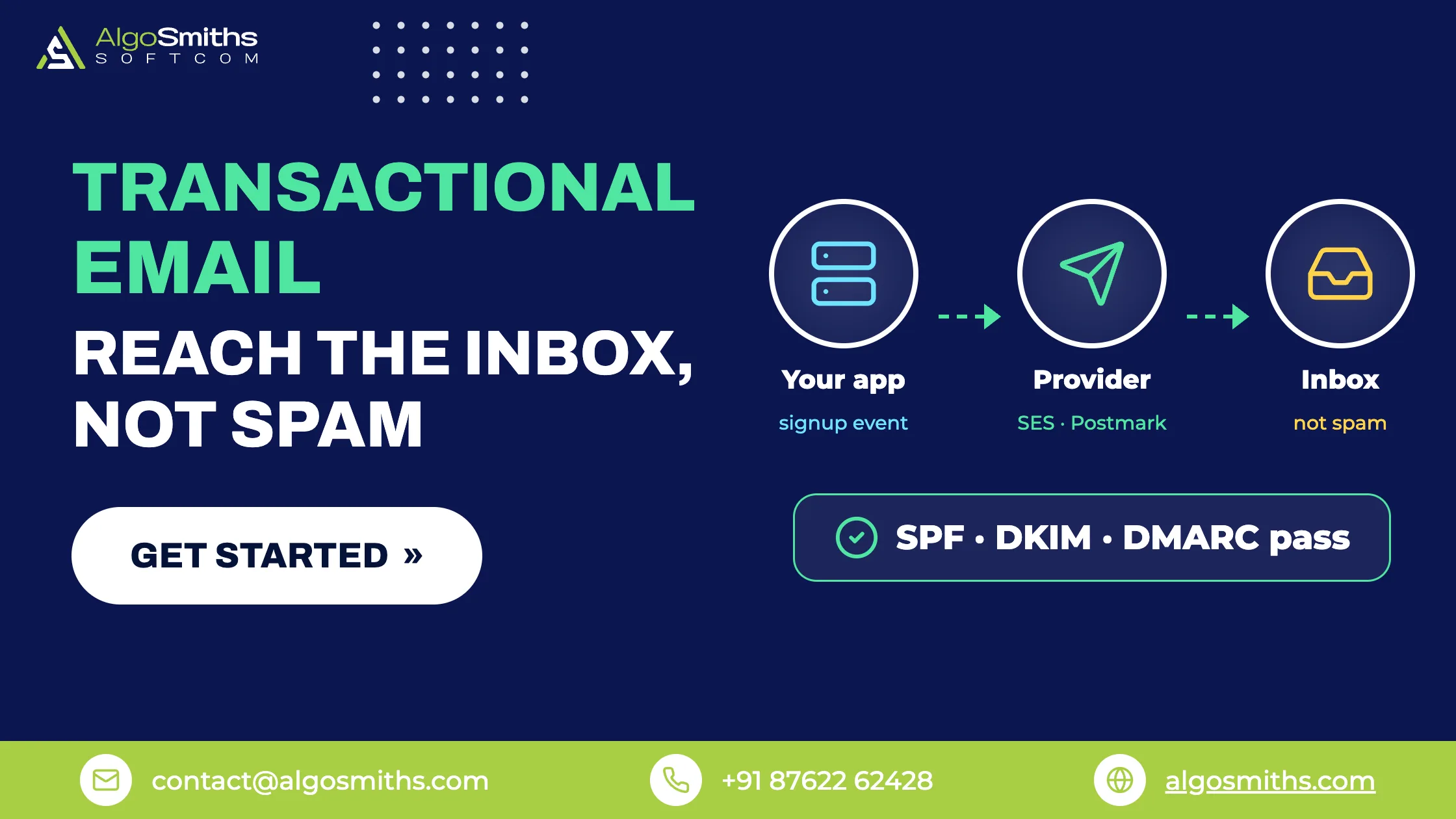
Your app's emails reach the inbox when you send them through a provider built for transactional email, prove the mail is really yours with SPF, DKIM and DMARC records, and keep bounce and complaint rates low. Wording and design barely matter until those three are done: an unauthenticated password reset from a brand-new domain gets filtered however well it is written.
This guide is for founders and early-stage teams whose signup confirmations, password resets and receipts land in spam or never arrive at all. It covers what counts as transactional mail, why messages get filtered, the DNS records to publish, how to choose a provider, how to send from your application without slowing it down, and the numbers to watch after launch.
Key takeaways
- Transactional mail is one-to-one and triggered by a user action: verification, password reset, receipt, alert. Keep it separate from marketing campaigns.
- Authenticate your sending domain. Gmail requires SPF or DKIM from every sender, and SPF, DKIM and DMARC from bulk senders.
- Send application mail from a subdomain such as
mail.example.comso a bad campaign cannot take your password resets down with it. - Queue every send in a background job and act on bounce and complaint events from your provider.
- Watch three numbers after launch: bounce rate under 2%, complaint rate under 0.1%, Gmail-reported spam rate under 0.3%.
What counts as transactional email?
A transactional email is a one-to-one message sent because of something a specific user did, or something that happened to their account. Marketing email is one-to-many and goes out because you decided to send it.
The practical difference is expectation. Someone who just clicked "reset password" is watching their inbox, so a five-minute delay or a spam-folder landing costs you that session and sometimes the customer. The common types are email verification, password resets and magic links, receipts and invoices, failed-payment warnings, team invitations, and alerts the user asked for.
Because most of these messages sit inside your login flow, deliverability is part of your authentication design rather than a marketing afterthought. If you are still shaping that flow, our guide to sessions, tokens and SSO for SaaS products covers the decisions this email layer has to support.
Apps built on Supabase often start on its built-in auth email service, which is rate limited and not meant for production. That limit is one of the reasons a Lovable app stops working after publishing.
Why do your app's emails go to spam?
Usually because the receiving provider cannot verify who sent the message, or because your recent sending history looks bad. Content matters far less than founders expect.
The sending domain is not authenticated
Google's sender guidelines require all senders to set up SPF or DKIM, and bulk senders (5,000 or more messages a day to personal Gmail accounts) to set up SPF, DKIM and DMARC. Messages that fail these checks may be marked as spam or rejected with a 5.7.26 error, and sending to personal Gmail accounts needs a DKIM key of at least 1024 bits, with 2048 recommended (Google's email sender guidelines).
In plain language: SPF lists the servers allowed to send mail for your domain, DKIM signs each message so the receiver can prove it came from you unaltered, and DMARC tells receivers what to do when a message fails those checks and where to send reports.
You are sending from an address with no history
A From: address on a free mailbox, or on a domain you registered last week, carries no reputation at all. Use your own domain, keep one consistent From: address per message type (for example receipts@ separate from alerts@), and make sure replies go somewhere a human reads.
Mixing content types in one message hurts too. A receipt with a promotion bolted onto it is a marketing email as far as the receiver is concerned, and it will be filtered like one.
Your bounce or complaint rate is too high
Providers watch how recipients react to your mail. Amazon SES advises keeping bounce rates below 2% and complaint rates below 0.1%; a bounce rate of 5% or a complaint rate of 0.1% can put an account under review, and 10% bounces or 0.5% complaints can get sending paused (Amazon SES sending review FAQ). Google asks senders to keep spam rates reported in Postmaster Tools below 0.3%.
Those allowances are thin. At 10,000 messages a month, a 0.1% complaint rate is ten people pressing "report spam", which is why mailing addresses that never opted in is so expensive.
How do you set up SPF, DKIM and DMARC?
You publish a few DNS records for the domain you send from, then verify them in your provider's dashboard. The provider supplies the exact values; your job is to get them into DNS and keep them tidy.
- Choose the sending domain or subdomain and add it to your email provider.
- Publish one SPF record for that domain, including every service that sends as you. Two SPF records on the same name are a configuration error.
- Publish the DKIM records your provider generated, using a 2048-bit key where it is offered.
- Publish a DMARC record at
_dmarcwith a reporting mailbox, starting in monitor mode. - Send test messages to Gmail, Outlook and a company domain, then check the headers show
spf=pass,dkim=passanddmarc=pass. - Read the DMARC reports for a couple of weeks, then tighten the policy.
; SPF for the sending subdomain
mail.example.com.                IN TXT   "v=spf1 include:amazonses.com -all"

; DKIM record supplied by your email provider
s1._domainkey.mail.example.com.  IN CNAME s1.dkim.provider-example.net.

; DMARC in monitor mode, with reports going to a real mailbox
_dmarc.example.com.              IN TXT   "v=DMARC1; p=none; rua=mailto:dmarc@example.com; fo=1"
Which domain should you send from?
Send application mail from a dedicated subdomain and keep campaigns on a different one. Receivers build reputation around the sending domain, so separating the two means a campaign that collects complaints does not drag your password resets down with it.
Keep the root domain for your own correspondence, and never send product mail from a domain you do not control, such as a client's or a contractor's.
What DMARC policy should you start with?
Start with p=none and a reporting address. Monitor mode changes nothing about delivery but shows you every system sending as your domain, including the invoicing tool and the CRM you forgot about.
Once the reports show only senders you recognise and they all pass, move to p=quarantine, then to p=reject. Jumping straight to reject is how teams accidentally block their own invoices.
Which transactional email provider should you choose?
Choose the cheapest option whose setup you can finish this week. For most early products that means a managed email API; Amazon SES makes sense if you are already on AWS or expect high volume, and running your own mail server almost never pays off.
How much does transactional email cost?
Far less than most founders assume. Amazon SES charges $0.10 per 1,000 outbound emails on à-la-carte pricing, or $0.16 per 1,000 on the Essentials plan up to 10 million a month (Amazon SES pricing). Postmark's Basic plan is $15 a month including 10,000 emails, with a free plan limited to 100 test messages. Resend's free and Pro tiers cover 3,000 emails a month at no cost and 50,000 for $20 a month.
| Option | Cost at ~10,000 emails/month | Suits | Trade-off |
|---|---|---|---|
| Amazon SES (à la carte) | About $1 | Teams already on AWS | More wiring and dashboards to build yourself |
| Postmark Basic | $15/month | Product mail you cannot afford to lose | Costs more per message at volume |
| Resend Pro | $20/month (50,000 included) | Small teams wanting a quick integration | Free tier capped at 100 emails a day |
| Your own mail server | Server cost only | Almost nobody at this stage | You own IP warm-up, blocklists and uptime |
The hidden cost of self-hosting is attention. Reverse DNS records, IP warm-up, blocklist removals and feedback loops are a part-time job, and the bill for getting them wrong is paid in lost signups rather than dollars.
How should your app actually send email?
Through a queued background job that calls the provider's API, with retries, logging and a record of every event the provider sends back. The sending code is small; the reliability around it is what matters.
Send from a background job, not the web request
If your signup handler calls the email API directly, a slow or unavailable provider becomes a broken signup. Queue the send instead, so the user gets their account immediately and the job retries on failure.
@shared_task(bind=True, max_retries=5, retry_backoff=True)
def send_password_reset(self, user_id, token):
    user = User.objects.get(pk=user_id)
    try:
        mailer.send(
            to=user.email,
            template="password-reset",
            context={"reset_url": reset_url(token)},
        )
    except TransientMailError as exc:
        raise self.retry(exc=exc)
The patterns that keep this safe (bounded retries, idempotency, a dead-letter queue for jobs that never succeed) are the same ones we describe in our write-up on moving slow work out of the request cycle.
Act on bounces and complaints
Every provider can post delivery events back to your application: delivered, bounced, complained, opened. Store them, suppress addresses that hard-bounce or complain, and show the last known email status on the user record so support can see why a customer never got their invite.
Treat these callbacks like any other inbound event: verify the signature, return quickly, and ignore duplicates. Our guide to receiving provider events without losing any covers the signature and retry handling in detail.
Keep the message itself plain
One purpose per email, a subject line that says what it is, a plain-text alternative alongside the HTML, links on your own domain, and no layout that only works if images load. Hidden text and emoji in display names both push messages towards spam.
Marketing and subscribed mail above 5,000 messages a day must also support one-click unsubscribe via the List-Unsubscribe and List-Unsubscribe-Post headers. Transactional mail is exempt, but giving people a way to turn off optional notifications still lowers your complaint rate.
A pre-launch email checklist
- Application mail sends from its own subdomain, verified in your provider.
- One SPF record lists every service that sends as that domain.
- DKIM is signing, with a 2048-bit key where supported.
- DMARC is published with a reporting mailbox someone reads.
- Test messages to Gmail, Outlook and a work domain pass SPF, DKIM and DMARC.
- Every send goes through a queue with retries and an alert on repeated failures.
- Bounce and complaint events are stored and those addresses are suppressed.
- Volume ramps up gradually rather than starting with your whole list.
- Bounce, complaint and spam rates are reviewed weekly for the first month.
Common mistakes
- One domain for everything. A single bad campaign then affects password resets, receipts and invoices.
- Sending inside the web request. A provider timeout turns into a failed signup and a confused user.
- Ignoring bounce events. Repeatedly mailing dead addresses is the fastest route past the thresholds above.
- Testing only with your own Gmail account. Add a Microsoft 365 mailbox and one strict corporate domain to your test set.
- Switching providers without cleaning DNS. Old SPF includes and stale DKIM records cause failures that are hard to trace.
Frequently asked questions
Can I send app email from Gmail or my own server?
You can, but neither is built for it. Mailbox products are made for human correspondence, with sending caps and no feed of delivery or complaint events, and your own server means owning IP warm-up, reverse DNS and blocklist removals. A provider costs a few dollars a month and gives you logs, suppression and event webhooks.
Should transactional and marketing email use the same provider?
One platform is fine, but separate the streams. Use different subdomains and From: addresses, and keep suppression lists apart so an unsubscribe from your newsletter never blocks a password reset.
Why do my emails arrive in Gmail but not Outlook?
Each receiver runs its own filters and keeps its own view of your reputation, and corporate gateways often quarantine unfamiliar senders by default. Check that SPF and DKIM align with the domain in your From: header, ask the recipient to look in quarantine, and build up volume to that domain slowly.
Do I need a dedicated IP address?
Not at startup volume. A dedicated IP needs steady daily sending to build and hold its reputation, so below a few hundred thousand messages a month the shared pools of a reputable provider usually deliver better.
How long does it take to set this up properly?
An afternoon for provider setup and DNS, a day or two for testing across mailbox providers, and a few weeks of reading DMARC reports before you tighten the policy to reject. The queue, suppression and event handling are a few days of engineering on top.
Getting your app's email to arrive
Authenticate the domain, put product mail on its own subdomain, send through a provider, queue every send, and act on bounce and complaint events. That is most of the distance between email that arrives and email that quietly disappears, and a small team can cover it in a week.
If you would rather hand this plumbing to engineers who have wired it up before, AlgoSmiths does backend and API development on fixed-price projects, with senior engineers and a working demo every week.
Topic: Backend, data & architecture