Supabase Row Level Security: Fix Data Leaks in Lovable Apps
On this page
Supabase Row Level Security for Lovable apps: how tables end up exposed to the anon key, how to test yours in ten minutes, and policies that fix it.
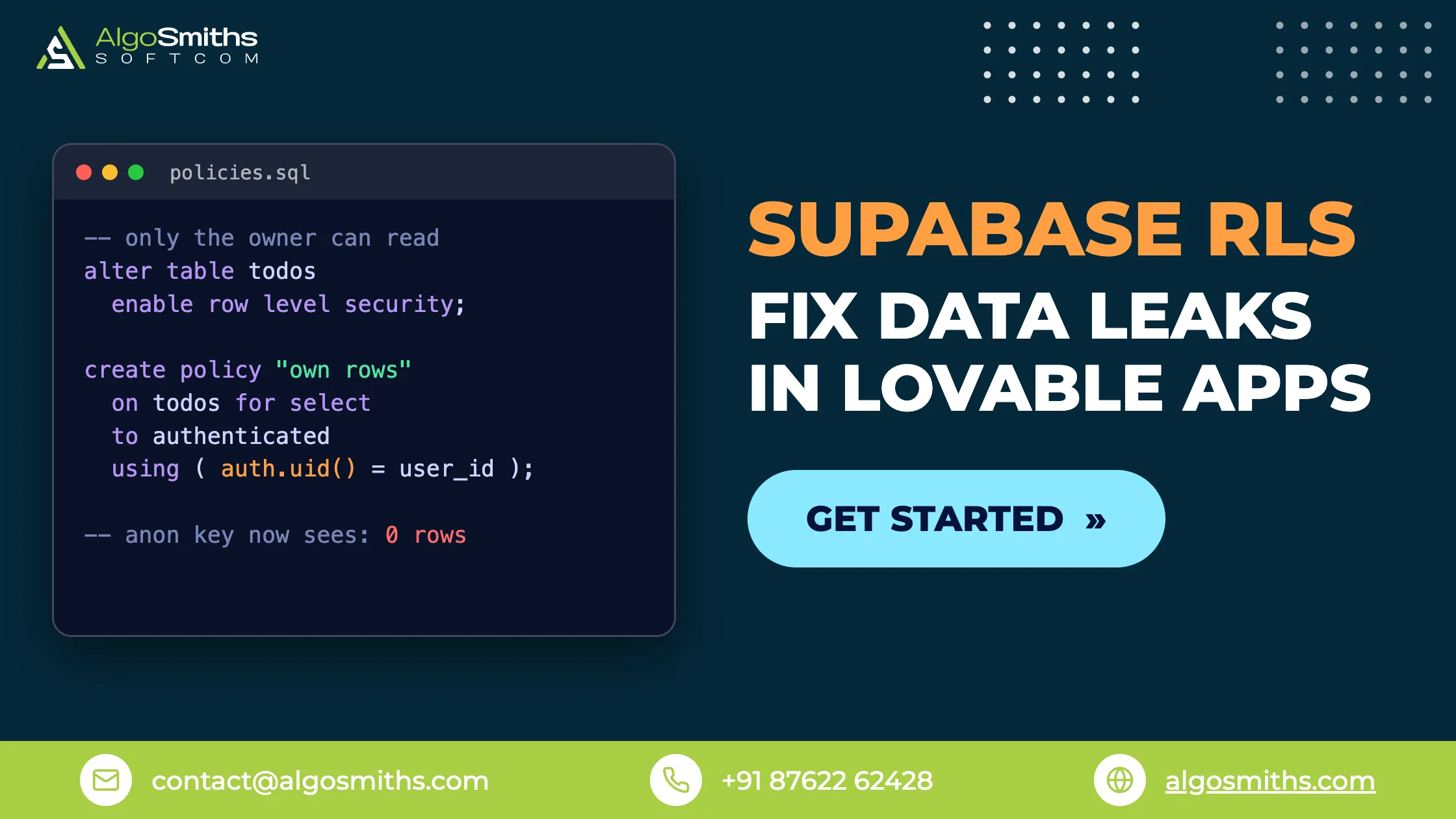
Supabase Row Level Security (RLS) is a PostgreSQL feature that decides, row by row, which records each request is allowed to read or change. In a Lovable or Bolt app the browser talks straight to your database over a public API, so RLS is usually the only thing standing between a stranger and your users' data. With it switched off, every row in the table is readable. If it is your sign-in flow that is broken instead, our guide to redirects, auth emails and sessions covers that side.
This guide is for founders and small teams who built on Supabase with an AI builder and need to know whether their tables are exposed. It covers what RLS does, why generated apps leak, how to test your own tables in about ten minutes, and working policies for user-owned rows, team rows and admin access. Data access is also the first item on our pre-launch checklist for AI-built apps.
Key takeaways
- RLS is off by default on new tables, and an unprotected table in an exposed schema can be read or written by anyone holding your public API key.
- Grants and policies are separate checks. Adding a policy does not remove privileges already granted to the
anonandauthenticatedroles. - You can test your own app in ten minutes with two accounts, a logged-out browser window and one
curlcommand. - Most tables need four policies, one each for select, insert, update and delete, rather than a single catch-all rule.
- Index every column your policies filter on. In Supabase's own measurements that took a query on a 100,000-row table from 171ms to under 0.1ms.
What does Supabase Row Level Security actually do?
RLS adds an invisible WHERE clause to every query that touches a table. You write the clause once as a policy, and PostgreSQL applies it to every request, whether it comes from your app, a REST call or a database client.
A policy like this one on a projects table lets signed-in users see only their own rows:
create policy "Owners read their own projects"
on public.projects for select
to authenticated
using ( (select auth.uid()) = owner_id );
The using clause decides which existing rows a statement can touch. A separate with check clause decides what a new or updated row may look like, which is what stops a user inserting a row that belongs to someone else.
Once RLS is enabled, the default is deny. PostgreSQL's row security documentation explains that with row security on and no policy present, no rows are visible or modifiable. Policies then open access back up: permissive policies combine with OR, restrictive policies with AND.
This is authorization, not authentication. Supabase Auth proves who the user is; RLS decides what that user may reach. Our guide to auth and access control for SaaS products covers the wider picture.
Grants and policies are two different checks
PostgreSQL checks table grants first and policies second, and this is where most Supabase apps go wrong. Supabase's Row Level Security documentation notes that on existing projects a new table in public starts with select, insert, update and delete already granted to anon, authenticated and service_role, and that adding policies does not take those grants back.
Securing a table is therefore three statements, not one:
alter table public.projects enable row level security;
revoke all on table public.projects from anon, authenticated;
grant select, insert, update, delete
  on table public.projects to authenticated;
If a request fails that your policy should allow, check the grant before you rewrite the policy. A missing grant raises error 42501 before any policy runs.
Which role is your request running as?
Every API key resolves to a PostgreSQL role, and your policies match on that role. Supabase's API keys guide sets out the mapping and notes that the legacy anon and service_role keys are being deprecated by the end of 2026 in favour of publishable and secret keys.
| Key in the request | User signed in | PostgreSQL role | Effect of RLS |
|---|---|---|---|
| Publishable or anon | No | anon |
Policies apply |
| Publishable or anon | Yes | authenticated |
Policies apply, auth.uid() set |
| Secret or service_role | Not applicable | service_role |
Bypassed entirely |
The publishable key is meant to be public. It ships inside your JavaScript bundle, so anyone can read it out of the page source in seconds. It is not a password, and treating it as one is the misunderstanding behind most Supabase data leaks.
Why do Lovable and Bolt apps leak data by default?
Because the generated front end treats the screen as the access control, and nobody told the database. Your dashboard renders only your own projects, but the API endpoint behind it will hand over every row to anyone who asks with the public key.
Nothing on screen tells you this is happening. The app looks correct because you are the only user, and generated code rarely includes the migration that enables RLS, revokes the grants and writes the policies.
This has already caused real incidents. CVE-2025-48757 describes insufficient row-level security policies in Lovable through 15 April 2025 that allowed unauthenticated attackers to read or write arbitrary database tables of generated sites, scored 9.3 and rated critical by MITRE. The vendor disputes the framing, on the grounds that each customer accepts responsibility for their own application's data. Either way, the policies are yours to write and yours to verify.
How do you test your tables with the anon key?
Test from outside your app, because your app is the one client that behaves. Two checks find almost every real leak: a second account in a private window, and a direct request to the REST API.
The two-account browser test
Create two ordinary accounts. Sign in as the first and add some data. Sign in as the second in a private window and try to reach the first account's records by changing the ID in the URL. Then sign out completely and reload. If you can see or change anything that is not meant to be public, your policies are missing or too loose. Do not run this test with your admin account, which usually carries a role your policies treat differently.
The curl test that skips your app entirely
This is the test that matters, because an attacker will never use your interface. Take the project URL and publishable key out of your front-end bundle and ask the REST API directly:
curl "https://YOUR_PROJECT_REF.supabase.co/rest/v1/projects?select=*" \
  -H "apikey: YOUR_PUBLISHABLE_KEY" \
  -H "Authorization: Bearer YOUR_PUBLISHABLE_KEY"
No signed-in user is involved, so the request runs as anon. An empty array or a permission error means the table is closed to signed-out visitors. Rows coming back means anyone on the internet can read that table. Repeat it for every table name you can find in your code, then try a POST to the same path to check writes.
Manual checks drift, so write them down. Supabase supports pgTAP database tests, so the allow and deny cases for each table can live in supabase/tests/ and run with supabase test db. A future prompt that regenerates your schema then cannot quietly reopen a table. Policies only stay in place when they live in version control, which our guide to moving Supabase schema changes into migration files explains.
Policy examples for user-owned rows, team rows and admin access
Three ownership shapes cover most products. Write all four operations for each table: PostgreSQL does not accept several operations in one for clause, and a catch-all for all policy hides which rule was meant to cover which operation.
Rows owned by one user
The simplest case is a row that belongs to whoever is named in its owner_id column.
create policy "Owners select" on public.projects
  for select to authenticated
  using ( (select auth.uid()) = owner_id );

create policy "Owners insert" on public.projects
  for insert to authenticated
  with check ( (select auth.uid()) = owner_id );

create policy "Owners update" on public.projects
  for update to authenticated
  using ( (select auth.uid()) = owner_id )
  with check ( (select auth.uid()) = owner_id );

create policy "Owners delete" on public.projects
  for delete to authenticated
  using ( (select auth.uid()) = owner_id );
The update policy needs both clauses. using picks the rows the user may edit, and with check stops them reassigning the row to somebody else by rewriting owner_id. An update also needs a matching select policy to behave as expected.
Always name the role with to authenticated. A policy without it runs for anon as well, and auth.uid() returns null on a signed-out request, so the comparison quietly evaluates to false instead of failing loudly.
Rows shared by a team or workspace
Here membership lives in its own table, and the obvious version deadlocks. A policy on projects reads team_members to find who the project is shared with, and the policy on team_members reads projects to find the owner. PostgreSQL raises 42P17, infinite recursion detected in policy, and every query fails.
Break the cycle with a security definer function, which reads the membership table as its owner so the second policy never runs:
create schema if not exists private;

create function private.my_team_ids()
returns setof uuid
language sql
security definer
set search_path = ''
stable
as $$
  select team_id from public.team_members
  where user_id = (select auth.uid())
$$;

revoke execute on function private.my_team_ids() from public;
grant usage on schema private to authenticated;
grant execute on function private.my_team_ids() to authenticated;

create policy "Team members select" on public.projects
  for select to authenticated
  using ( team_id in (select private.my_team_ids()) );
Two details are not optional. Set search_path = '' and schema-qualify every name inside the function, otherwise a caller can point an unqualified name at an object they control and have it run with the function owner's privileges. And keep the function in a schema that is not exposed through the Data API, or it becomes callable over the API with those same privileges.
How far a shared-table pattern takes you depends on your tenancy model. Our write-up on choosing a multi-tenant SaaS architecture compares row-level isolation like this with schema-per-tenant and database-per-tenant setups.
Admin and staff access
Give admins their own extra policy rather than loosening the owner policy. Permissive policies combine with OR, so an additional policy widens access without weakening the rule that protects ordinary users.
create policy "Staff read everything" on public.projects
  for select to authenticated
  using ( (select private.is_staff()) );
Source the admin flag from somewhere the user cannot edit. Supabase's raw_user_meta_data is writable by the user through the auth API, so a policy built on it lets an attacker promote themselves. Use a staff table read through a security definer function, or raw_app_meta_data, which users cannot change. A JWT is also a snapshot: removing someone's role does not change auth.jwt() until their token refreshes.
Where RLS does not protect you
RLS covers tables reached with a publishable key. Four paths go around it, and each needs its own control.
- The secret or service_role key. It holds the
BYPASSRLSattribute, so no policy applies to it. One secret key in front-end code makes every policy you wrote irrelevant. Our guide to handling API keys and environment variables covers where each kind of key belongs and how to rotate one that has leaked. - Views. PostgreSQL creates views as
security definerby default, so a view over a protected table hands out the rows its policies were meant to withhold. On PostgreSQL 15 and later, create views withsecurity_invoker = true. - Storage. Files sit behind separate policies on the storage schema. A locked-down table next to a public bucket of user uploads is still a leak. Our guide to securing your storage buckets covers the storage policies and signed URLs.
- Functions. Policies are only half the surface, because a function created with
SECURITY DEFINERruns as its owner and can return rows those policies would have blocked. Our guide explains how SECURITY DEFINER functions bypass your policies and what a safer function looks like.
Does RLS slow your app down?
Not if you index the columns your policies filter on, and badly if you do not. A policy is evaluated per candidate row, so an unindexed filter column turns a simple read into a sequential scan of the whole table.
Supabase's published RLS performance tests, run against a 100,000-row table, show how large the difference is.
| Change | Before | After |
|---|---|---|
Index added on the policy's user_id column |
171ms | under 0.1ms |
auth.uid() wrapped as (select auth.uid()) |
179ms | 9ms |
Table join moved into a security definer function |
11,000ms | 7ms |
Role named with to authenticated, anon request |
170ms | under 0.1ms |
Wrapping a helper call in a subselect lets the planner run it once per statement instead of once per row. It works for auth.uid(), auth.jwt() and security definer functions, as long as the result does not depend on the row being checked.
Keep the filter in your client query as well as in the policy. Calling .eq('owner_id', userId) alongside the policy gives the planner something to work with, and leaves RLS as the guarantee rather than the filter.
Common RLS mistakes
- Enabling RLS and stopping there. Without policies the table is closed, the app breaks, and the usual fix reopens it to everyone.
- Writing a
using ( true )policy. That is right for a genuinely public feed and wrong everywhere else, and it is what AI tools generate when asked to fix a query that returns nothing. - Omitting
with checkon insert and update, which lets a user create a row in, or move a row into, someone else's account. - Leaving the default grants in place after adding policies, so
anonkeeps an insert path nobody tested. - Testing on an empty table. Zero rows returned proves nothing until another user's row exists to be leaked.
Frequently asked questions
Is it safe to expose the Supabase anon key in my front-end code?
Yes, that is what it is for. The publishable or anon key identifies your application rather than your user, and Supabase documents it as safe to ship in web pages and mobile apps. It is only safe because RLS limits what it can reach, so the key being public and your data being public are two different things.
Do I still need RLS if everything goes through my own backend?
You need it unless the Data API is switched off entirely. As long as the REST endpoint is reachable with a publishable key, the browser route exists whether or not your app uses it. Keeping RLS on also means a feature added later through an AI builder cannot bypass your checks.
Why does my update succeed but change nothing?
Almost always a missing select policy, or a using clause that matches no rows. A using clause that filters every row out returns success with zero rows changed rather than an error. Add returning to the statement and you will see that it affected nothing.
Can I let Lovable write the policies for me?
Use it for a first draft, then verify the result yourself. Generated policies often omit the to authenticated clause, skip with check, or leave the default grants untouched. The curl test takes a minute and tells you whether the SQL did what the explanation claimed.
How long does retrofitting RLS onto a live app take?
For a small app with a handful of tables and clear ownership columns, a day or two including tests. It takes longer when rows have no owner column, when sharing rules were only ever enforced in the front end, or when views and background jobs have to be reworked too.
Getting your tables locked down
Start with the curl test, because it tells you within a minute whether you have a problem. Then go table by table: enable RLS, revoke the default grants, write four policies, index the columns those policies filter on, and save the allow and deny cases as tests. Keep the secret key on the server, and check your views and storage buckets before you call it done. If the policies check out and the live site still misbehaves, the cause is usually configuration, which our nine fixes for a Lovable app that breaks in production covers.
If you would rather have senior engineers audit the policies and close the gaps, AlgoSmiths works on fixed-price projects with a working demo every week. Our backend and API engineering work is the place to start.
Topic: AI-built apps & Supabase